On this page
During my contract at the HealthTech start-up Peppy, opens in a new tab, I was exposed to the world of AI and its potential to change the future.
As soon as that contract ended I knew I had to dive deeper into AI, to understand how it works and the ways in which it would change the way I approach programming.
My first step was exploring LangChain, opens in a new tab, which proved to be an excellent gateway to understanding the world of AI. While Python is the core language of Machine Learning and AI, and I have some knowledge of it, I was particularly interested in advancing the UI side of AI, leading me to adopt TypeScript. Fortunately, LangChain offers support for both Python, opens in a new tab and TypeScript, opens in a new tab, enabling me to quickly dive in and start building.
Identifying the strengths and limitations of various libraries is often the most valuable aspect of research and development (R&D). What I quickly found out was that whilst LangChain excelled at the back-end Node side of things e.g. reading & splitting data into chunks and uploading to a vector database, it struggled to piece together the front-end UI in a cohesive architecture. Enter Vercel AI SDK, opens in a new tab which is very much focussed on help build UI in TypeScript. I have found pairing the two together is the sweet spot.
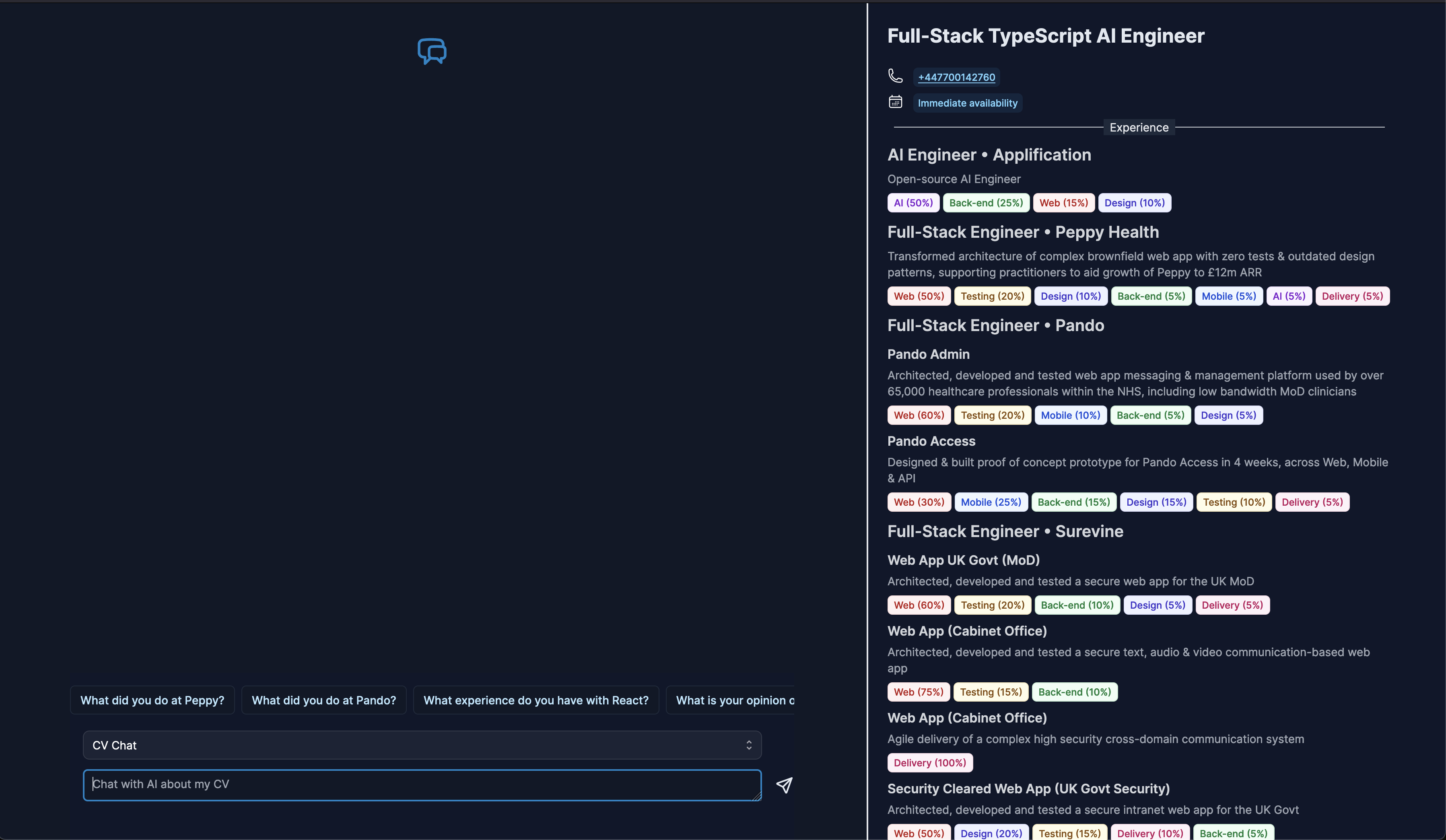
Armed with a desire to put this new found knowledge into practice I need a project and came up with the idea of creating an AI version of my CV that hiring managers could chat with and find out more about not just my past experiences and achievements but through a chat UI experience provide the ability to answer interview style questions about things such as the way I like to work or opinions on code etc.
The back-end
The first port of call was to provide the AI with a corpus of documents that would suffice as my second brain. LangChain has a number of modules & integrations to help. To start things off I built three separate scripts:
- Split & Chunk Markdown files
Using the RecursiveCharacterTextSplitter, opens in a new tab from LangChain I provided a set of markdown documents in a folder and split them into chunks - Split & Chunk blog posts
Combining RecursiveCharacterTextSplitter with PuppeteerWebBaseLoader, opens in a new tab I provided a set of blog posts and split them into chunks - Split & Chunk GitHub repositories
Combining RecursiveCharacterTextSplitter with GithubRepoLoader, opens in a new tab I provided access to some of my github public repositories and split them into chunks
All those chunks were then uploaded to a Supabase Postgres Vector database, opens in a new tab providing the RAG, opens in a new tab data.
*Back-end code: *https://github.com/DaveHudson/hudson/tree/main/apps/cv-ai-rag-uploader, opens in a new tab
The front-end
Next I had to build a chat UI to interface with the RAG data and OpenAI’s GPT-4. Adopting the Vercel AI SDK it made sense to set up a Next.js app.
AI SDK makes it really quite easy to set up and stream responses to the UI. I created a handful of UI components for:
- Messages
- AI messages
- User messages
- PromptInput
Then I used the new Next.js server actions, opens in a new tab to send the prompt query from a form to the server. The action would then run server side adding in the RAG context from Supabase, sending it all to OpenAI and finallly stream the message response to the UI.
As en enhancement I found the AI SDK experimental_StreamingReactResponse, opens in a new tab which allows rendering custom UI along with the response from OpenAI. This enabled the rendering of code blocks via Markdown and rendering YouTube videos if the response from OpenAI contains a link.
*Front-end code: *https://github.com/DaveHudson/hudson/tree/main/apps/cv-ai-chat, opens in a new tab
Enhancements
Once I had the basic CV chat working, other features started to come to light. The AI already had all the data on my thoughts, the work I do and how I like to work. Two features immediately came to mind.
- Role Matcher
Paste in a job role and let the AI analyse it to see if it is a good match. This one may be useful for hiring managers in the main but it led onto a more useful feature for me… - Cover Letter Generator
Paste in the same job role and let the AI create a customised cover letter based on all my thoughts and past experience.
The new features were really quick to implement and worked very well, just needing a little bit of prompt tweaking to get the best results.
Is the AI-powered CV useful? I believe so, but beyond its utility, I thoroughly enjoyed creating it and am excited to explore further applications of an AI version of myself.
Try it out for yourself at https://ai-cv.applification.net/, opens in a new tab